Displays a collection of rows with SwiftUI's native List.
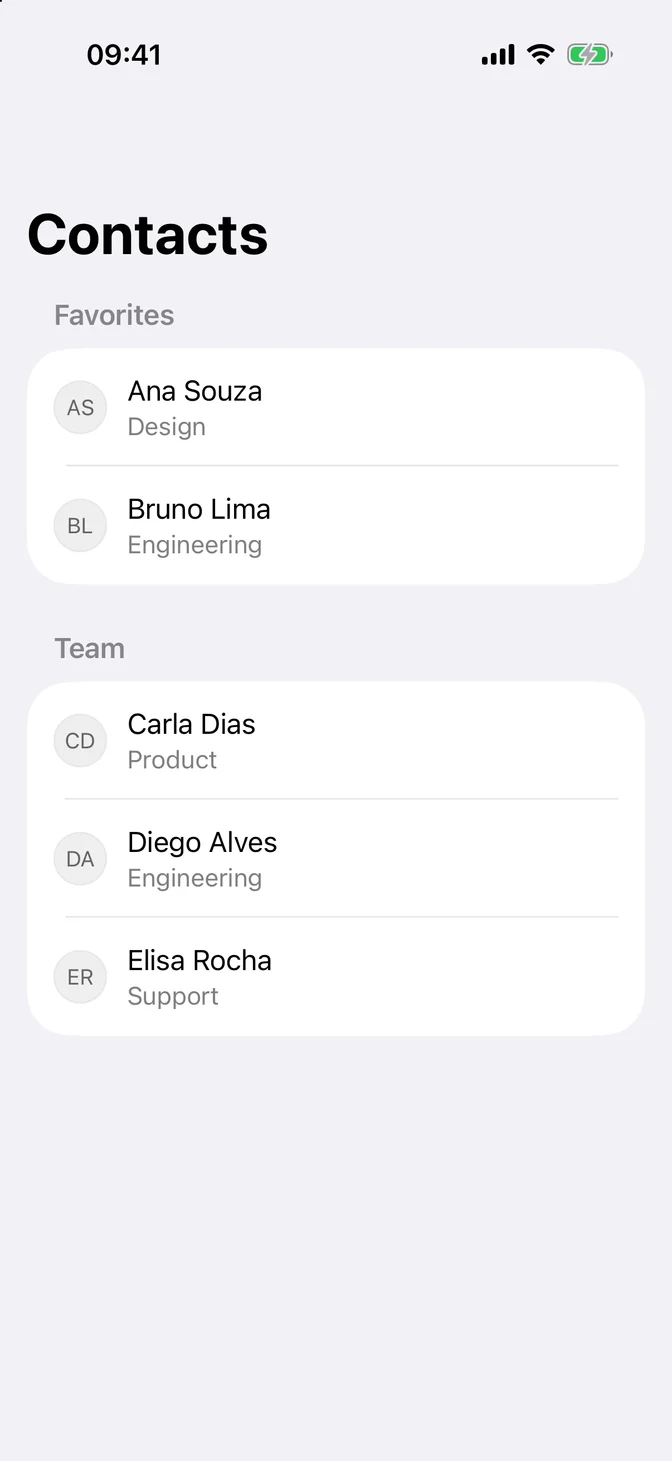
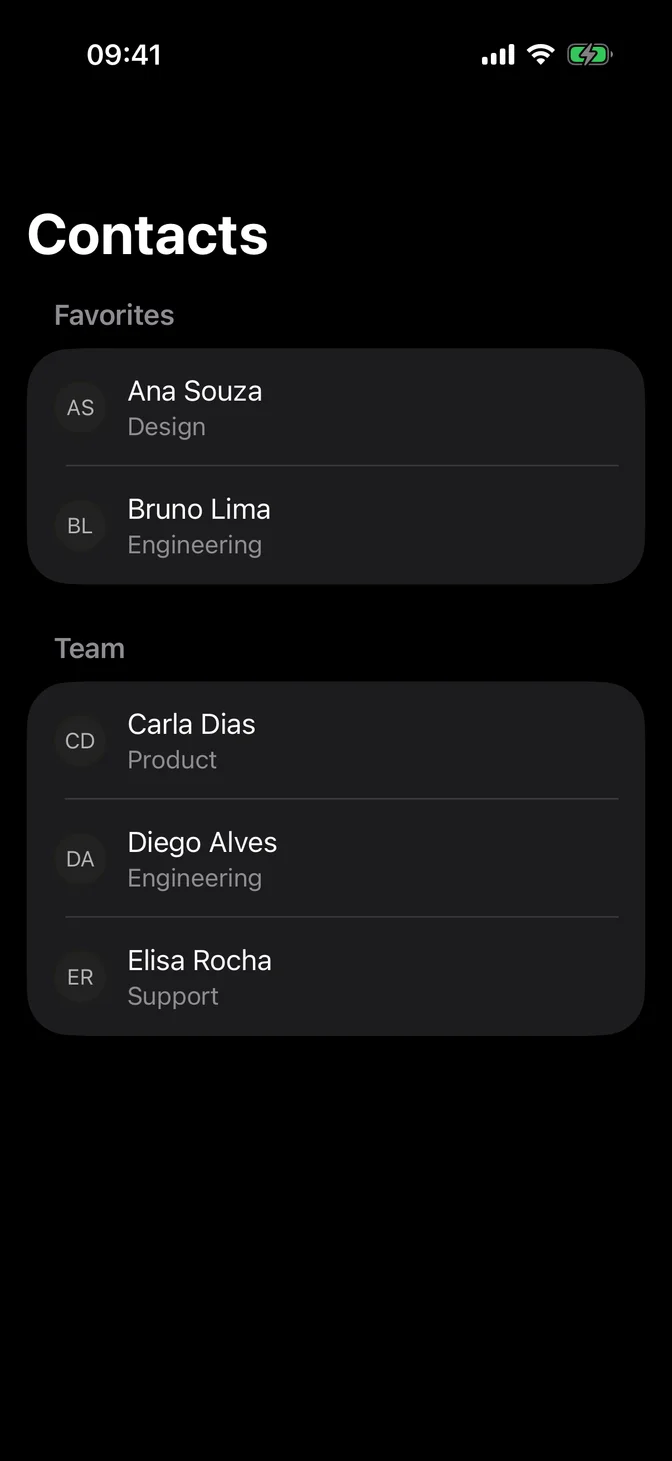
import SwiftUIstruct ListUsageExample: View { struct Contact: Identifiable { let id: String let initials: String let role: String var name: String { id } } private let favorites = [ Contact(id: "Ana Souza", initials: "AS", role: "Design"), Contact(id: "Bruno Lima", initials: "BL", role: "Engineering") ] private let team = [ Contact(id: "Carla Dias", initials: "CD", role: "Product"), Contact(id: "Diego Alves", initials: "DA", role: "Engineering"), Contact(id: "Elisa Rocha", initials: "ER", role: "Support") ] var body: some View { NavigationStack { List { Section("Favorites") { ForEach(favorites) { contact in row(for: contact) } } Section("Team") { ForEach(team) { contact in row(for: contact) } } } .navigationTitle("Contacts") } } private func row(for contact: Contact) -> some View { HStack(spacing: FLXSpacing.md) { FLXAvatar(size: .small) { FLXAvatarFallback(contact.initials) } VStack(alignment: .leading) { Text(contact.name) .flxFont(.body) Text(contact.role) .flxFont(.subheadline) .foregroundStyle(.secondary) } } }}Usage
The native List already brings rows, separators, selection, swipe actions, and accessibility. Use it directly and put FLX components inside the rows.
List(contacts) { contact in HStack(spacing: FLXSpacing.md) { FLXAvatar(size: .small) { FLXAvatarFallback(contact.initials) } Text(contact.name) }}Use a list to show a collection of items, such as messages, contacts, or tasks. For settings and data entry, use a Form.
Examples
Plain
Rows run edge to edge, like Mail.


import SwiftUIstruct ListPlainExample: View { struct Message: Identifiable { let id: String let sender: String let time: String } @State private var messages = [ Message(id: "The launch checklist is ready for review.", sender: "Ana Souza", time: "9:41"), Message(id: "Build 42 is on TestFlight with the fixes.", sender: "Bruno Lima", time: "8:15"), Message(id: "Here is the draft roadmap for next quarter.", sender: "Carla Dias", time: "Yesterday"), Message(id: "Staging keys were rotated, nothing to change.", sender: "Diego Alves", time: "Monday") ] var body: some View { NavigationStack { List(messages) { message in row(for: message) } .listStyle(.plain) .navigationTitle("Inbox") } } private func row(for message: Message) -> some View { VStack(alignment: .leading, spacing: FLXSpacing.xs) { HStack { Text(message.sender) .flxFont(.headline) Spacer() Text(message.time) .flxFont(.subheadline) .foregroundStyle(.secondary) } Text(message.id) .flxFont(.subheadline) .foregroundStyle(.secondary) } }}Sections
Group rows with a header and an optional footer.
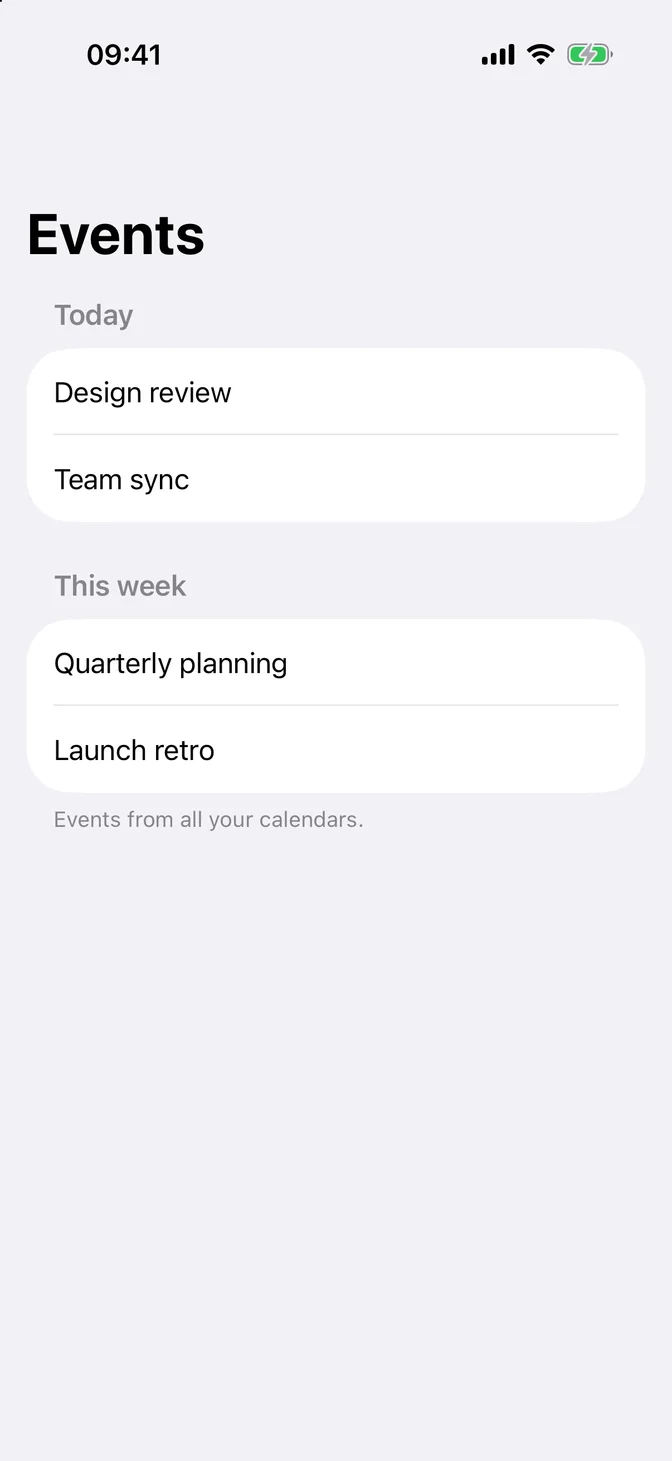
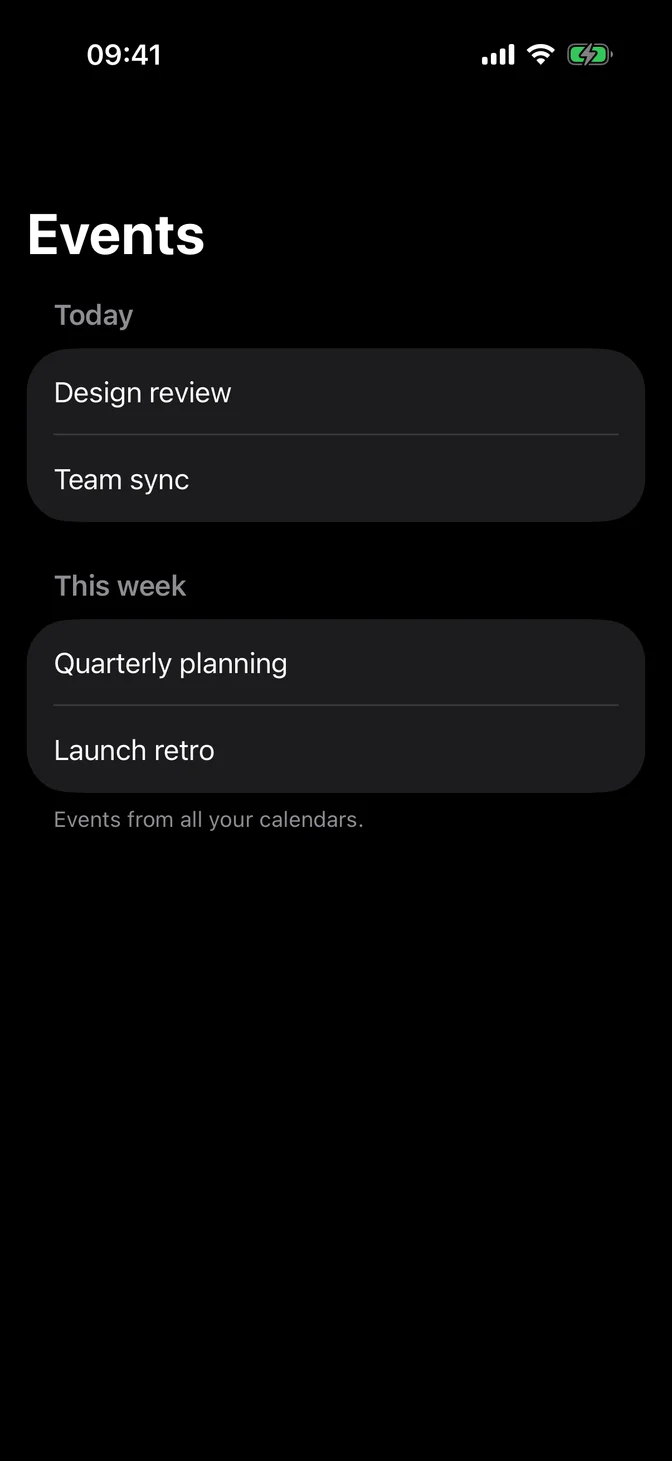
import SwiftUIstruct ListSectionsExample: View { var body: some View { NavigationStack { List { Section("Today") { Text("Design review") Text("Team sync") } Section { Text("Quarterly planning") Text("Launch retro") } header: { Text("This week") } footer: { Text("Events from all your calendars.") } } .navigationTitle("Events") } }}Navigation
A NavigationLink row gets a chevron. .badge(_:) shows a count on the trailing side, and a count of zero hides it.
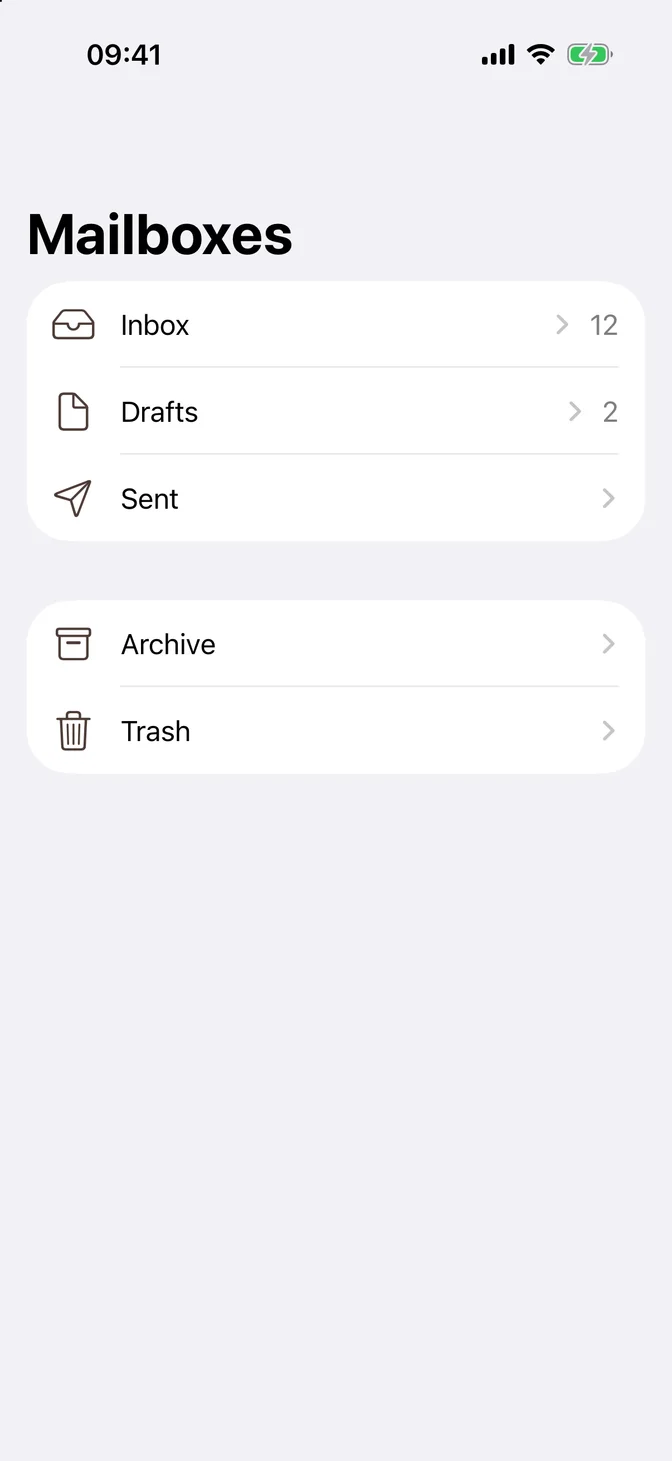
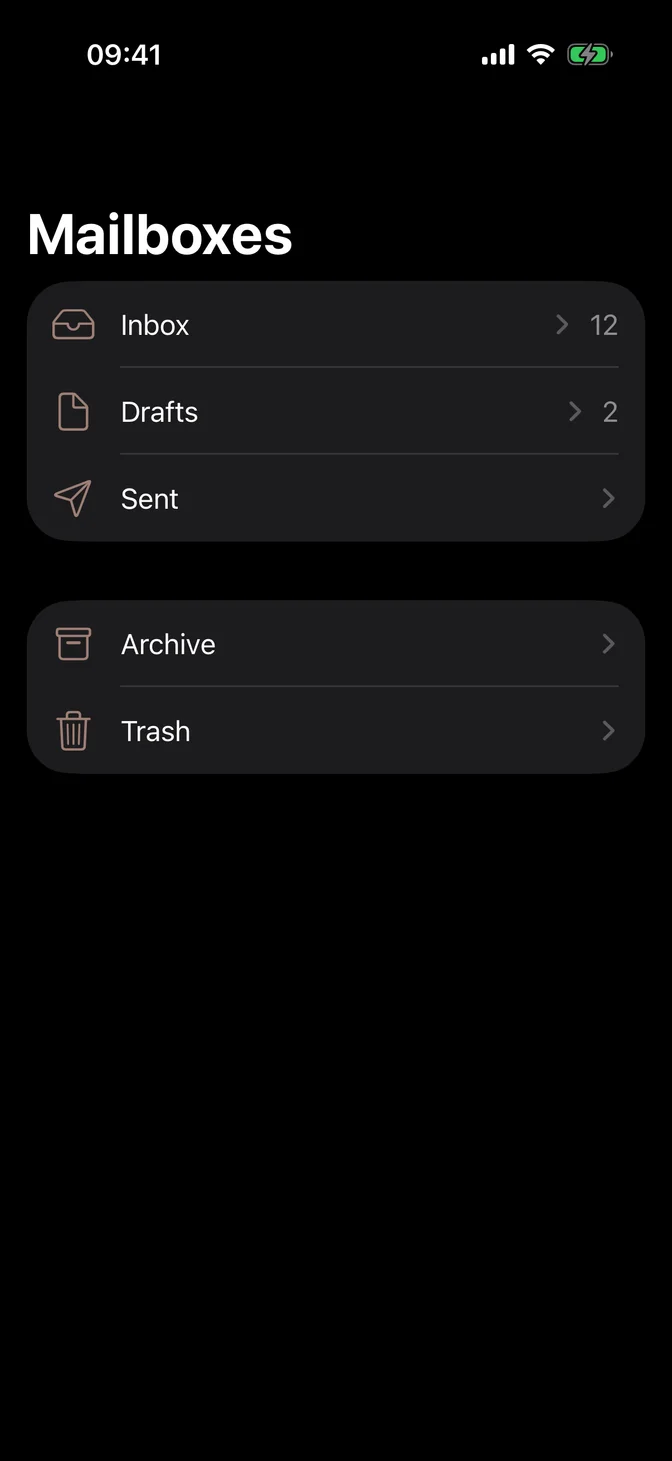
import SwiftUIstruct ListNavigationExample: View { struct Mailbox: Identifiable { let id: String let systemImage: String let unread: Int } private let mailboxes = [ Mailbox(id: "Inbox", systemImage: "tray", unread: 12), Mailbox(id: "Drafts", systemImage: "doc", unread: 2), Mailbox(id: "Sent", systemImage: "paperplane", unread: 0) ] private let folders = [ Mailbox(id: "Archive", systemImage: "archivebox", unread: 0), Mailbox(id: "Trash", systemImage: "trash", unread: 0) ] var body: some View { NavigationStack { List { Section { ForEach(mailboxes) { mailbox in row(for: mailbox) } } Section { ForEach(folders) { mailbox in row(for: mailbox) } } } .navigationTitle("Mailboxes") } } private func row(for mailbox: Mailbox) -> some View { NavigationLink { Text(mailbox.id) .navigationTitle(mailbox.id) } label: { Label(mailbox.id, systemImage: mailbox.systemImage) } .badge(mailbox.unread) }}Selection
Pass a selection binding. In edit mode, each row shows a selection mark, and EditButton turns edit mode on and off.
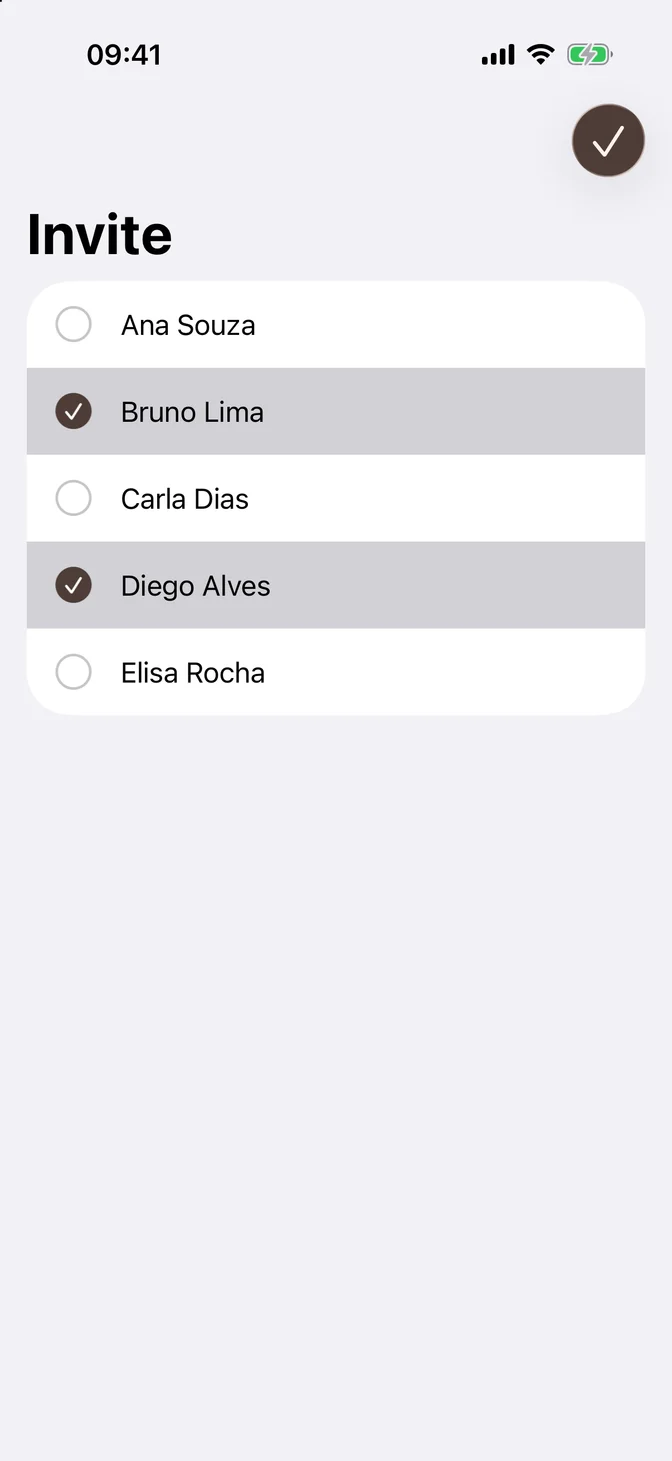
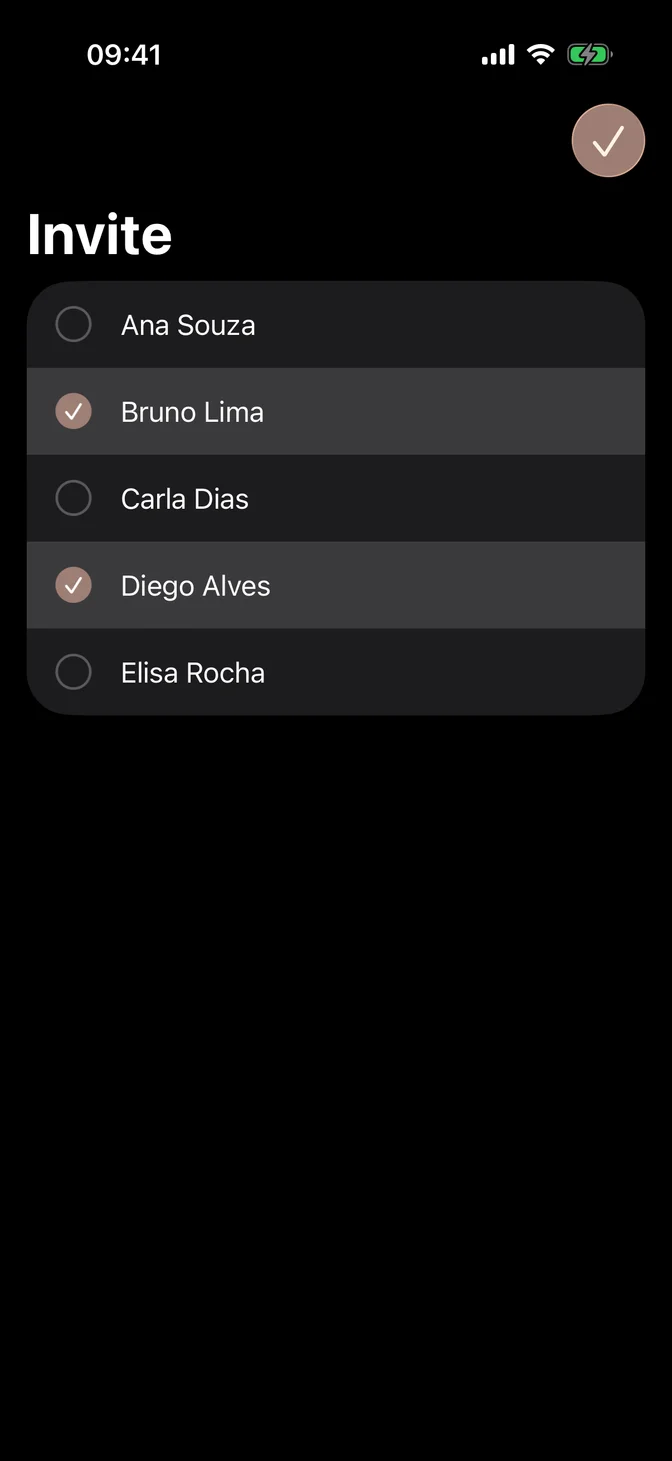
import SwiftUIstruct ListSelectionExample: View { @State private var selection: Set<String> = ["Bruno Lima", "Diego Alves"] @State private var editMode = EditMode.active private let people = ["Ana Souza", "Bruno Lima", "Carla Dias", "Diego Alves", "Elisa Rocha"] var body: some View { NavigationStack { List(people, id: \.self, selection: $selection) { person in Text(person) } .navigationTitle("Invite") .toolbar { EditButton() } .environment(\.editMode, $editMode) } }}Empty state
Overlay an Empty when the list has no rows.
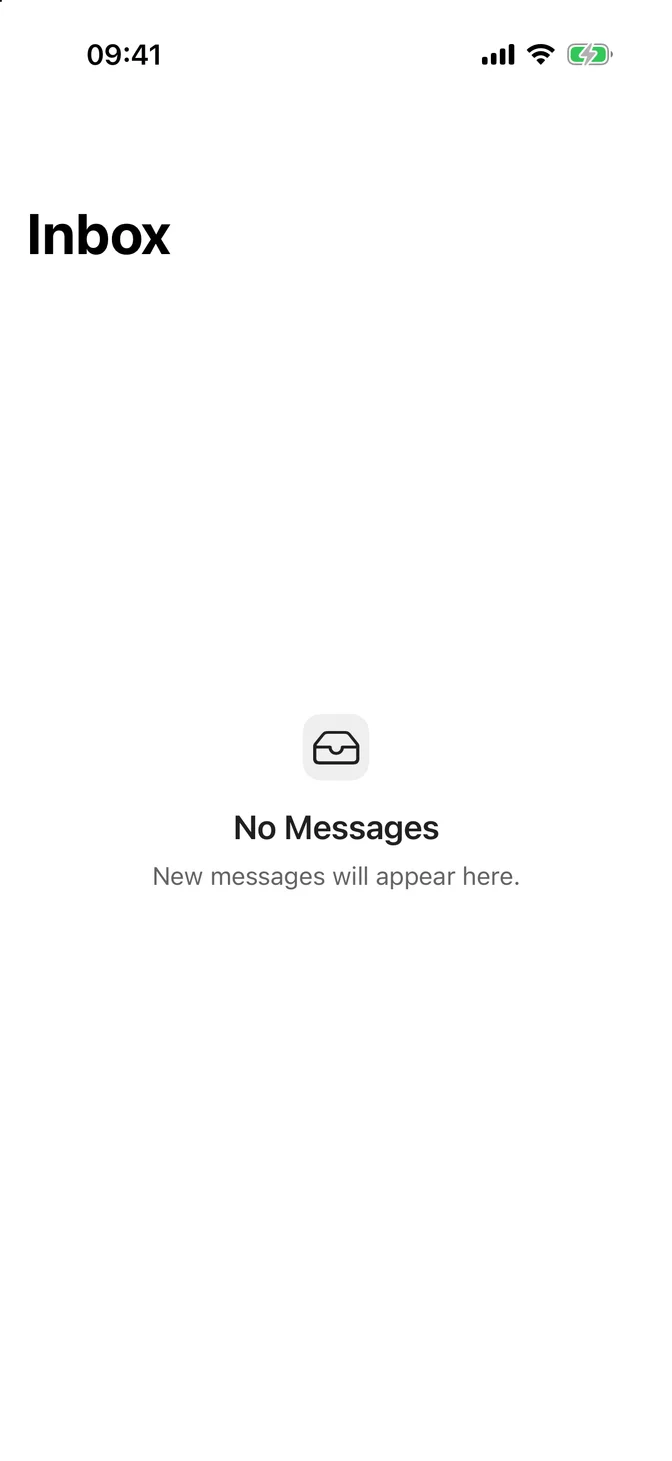
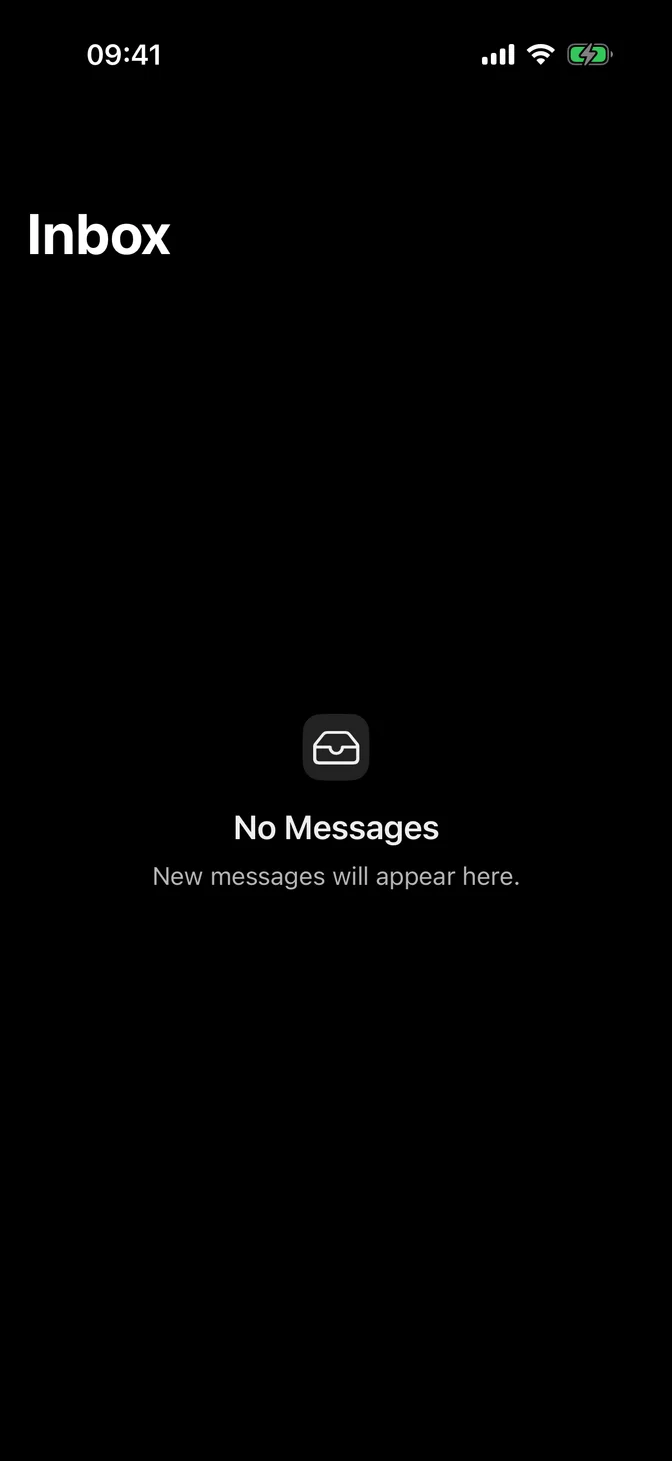
import SwiftUIstruct ListEmptyExample: View { @State private var messages: [String] = [] var body: some View { NavigationStack { List(messages, id: \.self) { message in Text(message) } .overlay { if messages.isEmpty { FLXEmpty { FLXEmptyHeader { FLXEmptyMedia(variant: .icon) { Image(systemName: "tray") } FLXEmptyTitle("No Messages") FLXEmptyDescription("New messages will appear here.") } } .padding(.bottom, FLXSpacing.xxxl) } } .navigationTitle("Inbox") } }}Swipe actions
Swipe a row to reveal actions. Actions without their own .tint(_:) take the theme's tint, including a destructive one, so give it the theme's destructive color.
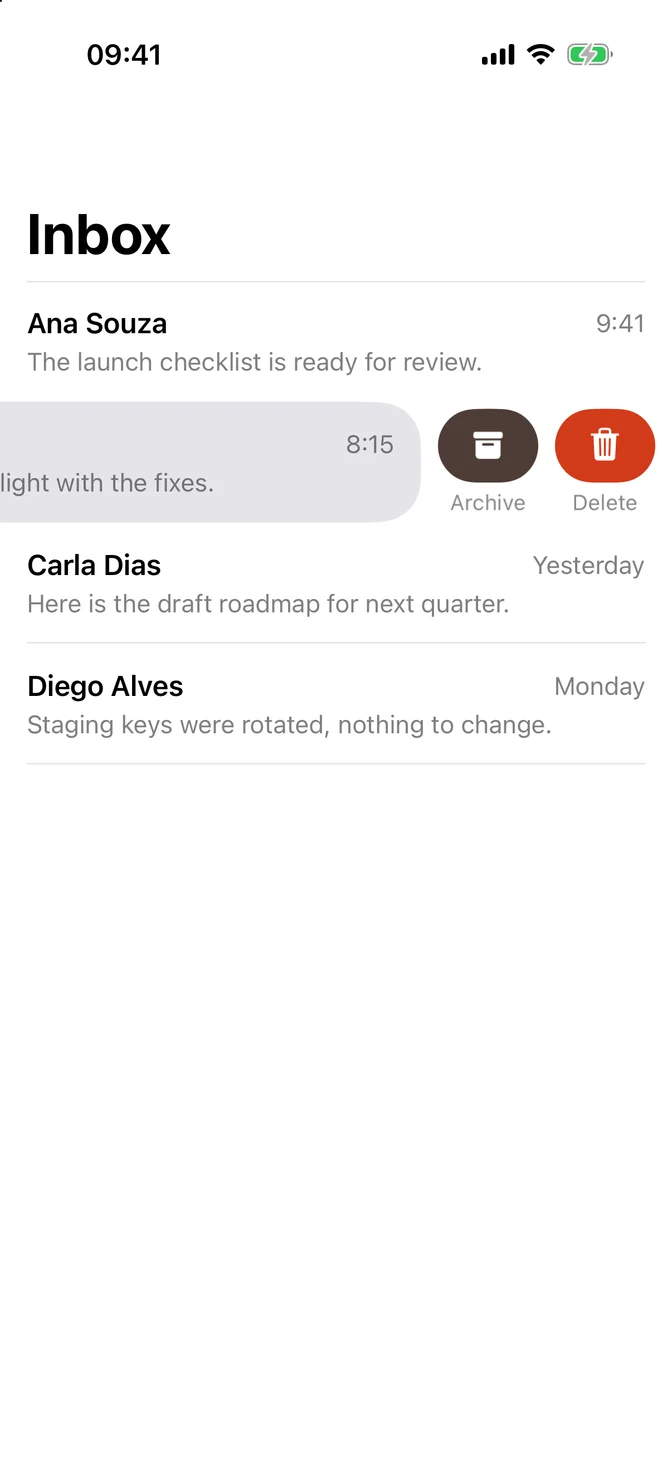

import SwiftUIstruct ListSwipeExample: View { @Environment(\.flxTheme) private var theme struct Message: Identifiable { let id: String let sender: String let time: String } @State private var messages = [ Message(id: "The launch checklist is ready for review.", sender: "Ana Souza", time: "9:41"), Message(id: "Build 42 is on TestFlight with the fixes.", sender: "Bruno Lima", time: "8:15"), Message(id: "Here is the draft roadmap for next quarter.", sender: "Carla Dias", time: "Yesterday"), Message(id: "Staging keys were rotated, nothing to change.", sender: "Diego Alves", time: "Monday") ] var body: some View { NavigationStack { List(messages) { message in row(for: message) .swipeActions { Button("Delete", systemImage: "trash", role: .destructive) { messages.removeAll { $0.id == message.id } } .tint(theme.colors.destructive) Button("Archive", systemImage: "archivebox") {} } .swipeActions(edge: .leading) { Button("Read", systemImage: "envelope.open") {} } } .listStyle(.plain) .navigationTitle("Inbox") } } private func row(for message: Message) -> some View { VStack(alignment: .leading, spacing: FLXSpacing.xs) { HStack { Text(message.sender) .flxFont(.headline) Spacer() Text(message.time) .flxFont(.subheadline) .foregroundStyle(.secondary) } Text(message.id) .flxFont(.subheadline) .foregroundStyle(.secondary) } }}Context menu
Touch and hold a row to open a menu.
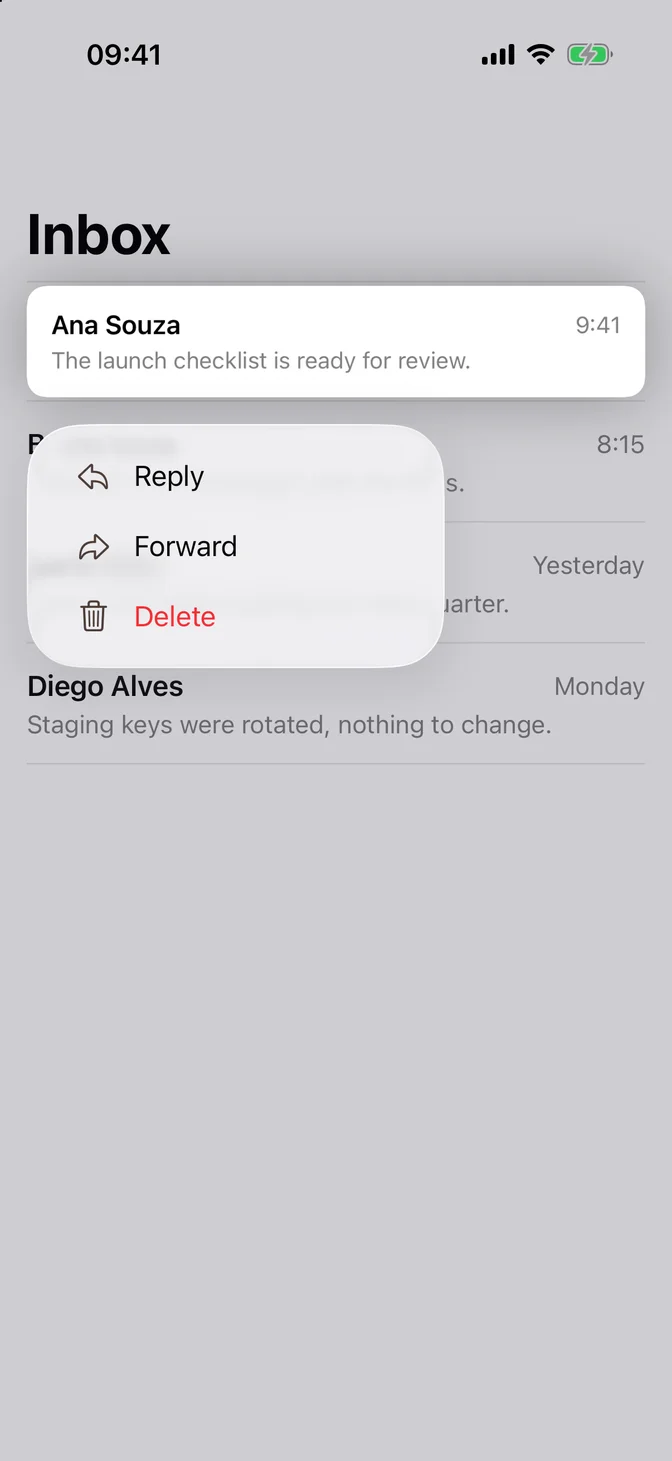
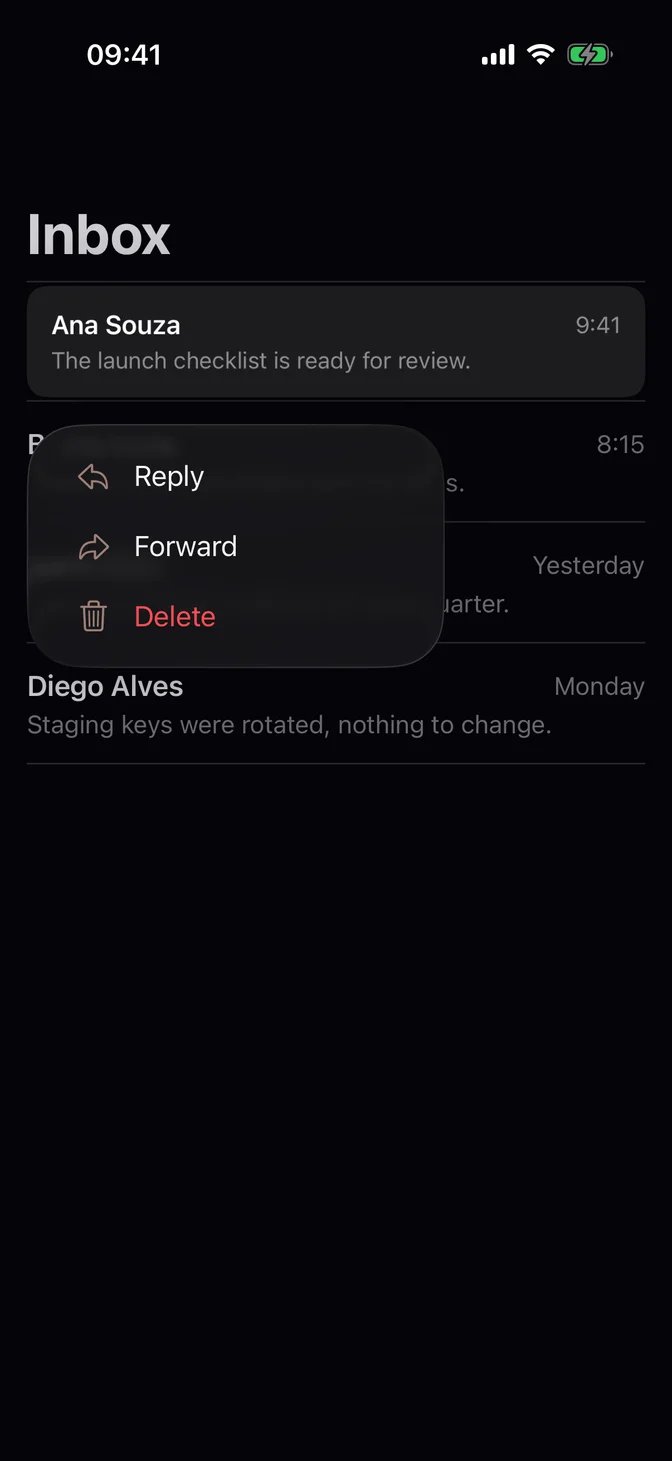
import SwiftUIstruct ListContextMenuExample: View { struct Message: Identifiable { let id: String let sender: String let time: String } @State private var messages = [ Message(id: "The launch checklist is ready for review.", sender: "Ana Souza", time: "9:41"), Message(id: "Build 42 is on TestFlight with the fixes.", sender: "Bruno Lima", time: "8:15"), Message(id: "Here is the draft roadmap for next quarter.", sender: "Carla Dias", time: "Yesterday"), Message(id: "Staging keys were rotated, nothing to change.", sender: "Diego Alves", time: "Monday") ] var body: some View { NavigationStack { List(messages) { message in row(for: message) .contextMenu { Button("Reply", systemImage: "arrowshape.turn.up.left") {} Button("Forward", systemImage: "arrowshape.turn.up.right") {} Button("Delete", systemImage: "trash", role: .destructive) { messages.removeAll { $0.id == message.id } } } } .listStyle(.plain) .navigationTitle("Inbox") } } private func row(for message: Message) -> some View { VStack(alignment: .leading, spacing: FLXSpacing.xs) { HStack { Text(message.sender) .flxFont(.headline) Spacer() Text(message.time) .flxFont(.subheadline) .foregroundStyle(.secondary) } Text(message.id) .flxFont(.subheadline) .foregroundStyle(.secondary) } }}Pull to refresh
Pull the list down to run an async action. The indicator stays until the action finishes.
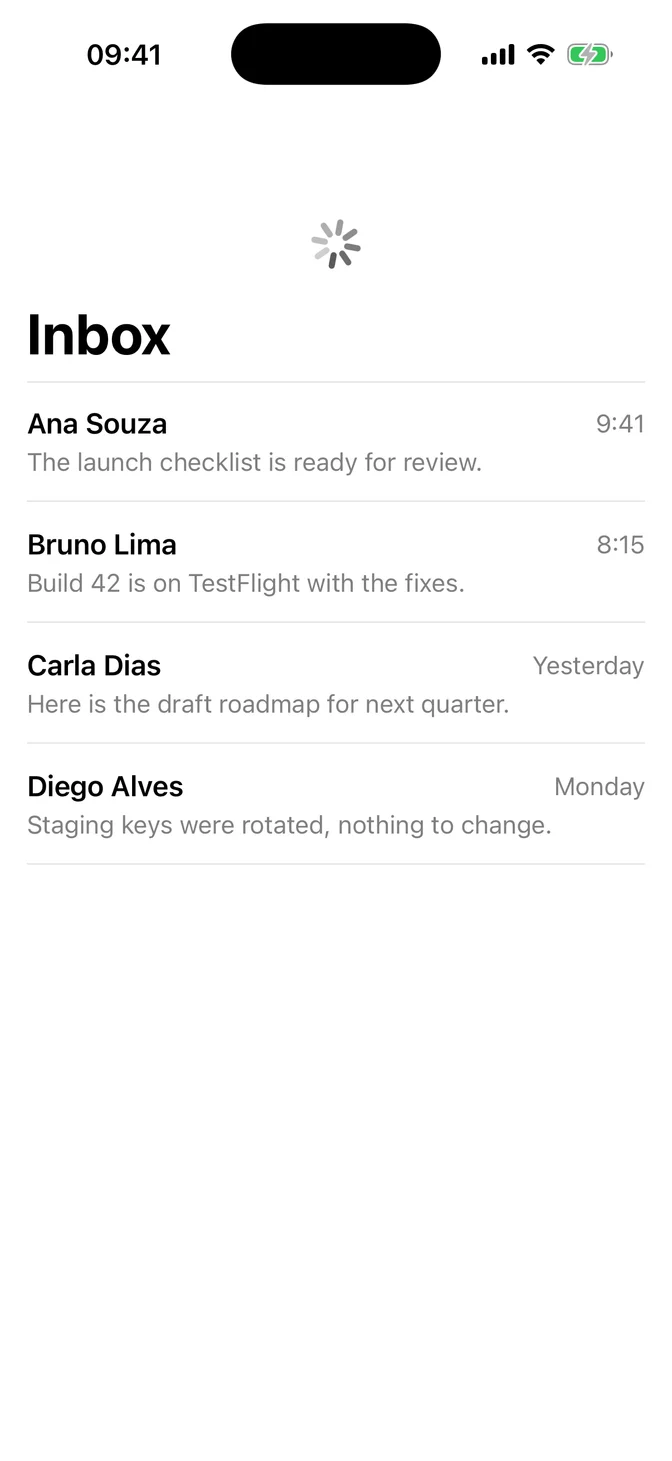
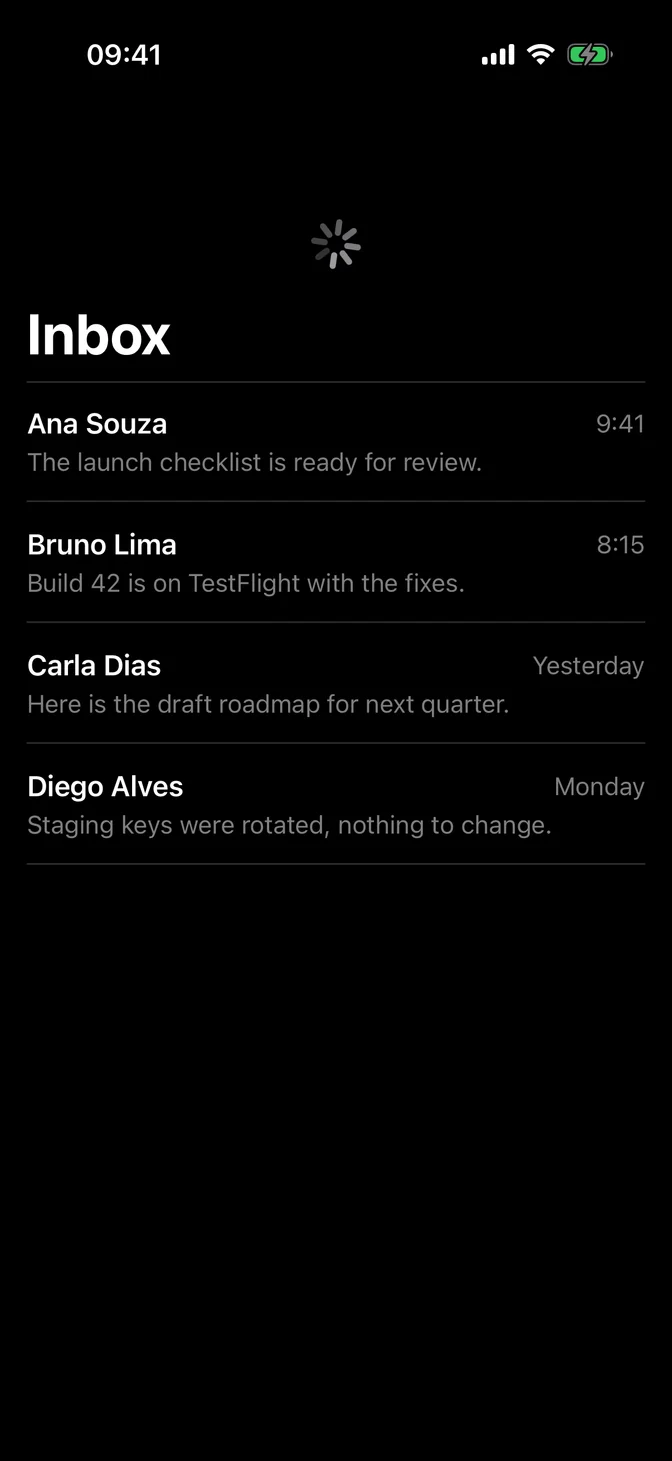
import SwiftUIstruct ListRefreshExample: View { struct Message: Identifiable { let id: String let sender: String let time: String } @State private var messages = [ Message(id: "The launch checklist is ready for review.", sender: "Ana Souza", time: "9:41"), Message(id: "Build 42 is on TestFlight with the fixes.", sender: "Bruno Lima", time: "8:15"), Message(id: "Here is the draft roadmap for next quarter.", sender: "Carla Dias", time: "Yesterday"), Message(id: "Staging keys were rotated, nothing to change.", sender: "Diego Alves", time: "Monday") ] var body: some View { NavigationStack { List(messages) { message in row(for: message) } .listStyle(.plain) .refreshable { try? await Task.sleep(for: .seconds(1)) } .navigationTitle("Inbox") } } private func row(for message: Message) -> some View { VStack(alignment: .leading, spacing: FLXSpacing.xs) { HStack { Text(message.sender) .flxFont(.headline) Spacer() Text(message.time) .flxFont(.subheadline) .foregroundStyle(.secondary) } Text(message.id) .flxFont(.subheadline) .foregroundStyle(.secondary) } }}Theming
Apply the theme at the root of your app. .flxTheme(_:) also sets the theme's tint, so switches, selection marks, swipe actions, and row buttons follow the theme in light and dark mode:
ContentView() .flxTheme(.default)To use theme surfaces, hide the system background and set the row background and separator color. Rows stand apart from the background only by contrast, so pick colors that stay apart:
List { ... } .scrollContentBackground(.hidden) .background(theme.colors.background) .listRowBackground(theme.colors.card) .listRowSeparatorTint(theme.colors.border)For more information about List, see the Apple documentation.